
Enterprise
1/2
Promoted
Greater Accra, Lapaz, 1 hour ago
53 views
Voice Changer Advanced
Audio & Music Accessories
Type
Brand New
Condition
voice changer
Brand
Store address
Greater Accra • Lapaz
Lapaz startimes building
We’re at Lapaz startimes building
Closed
• Mon - Sat, 08:00-18:00
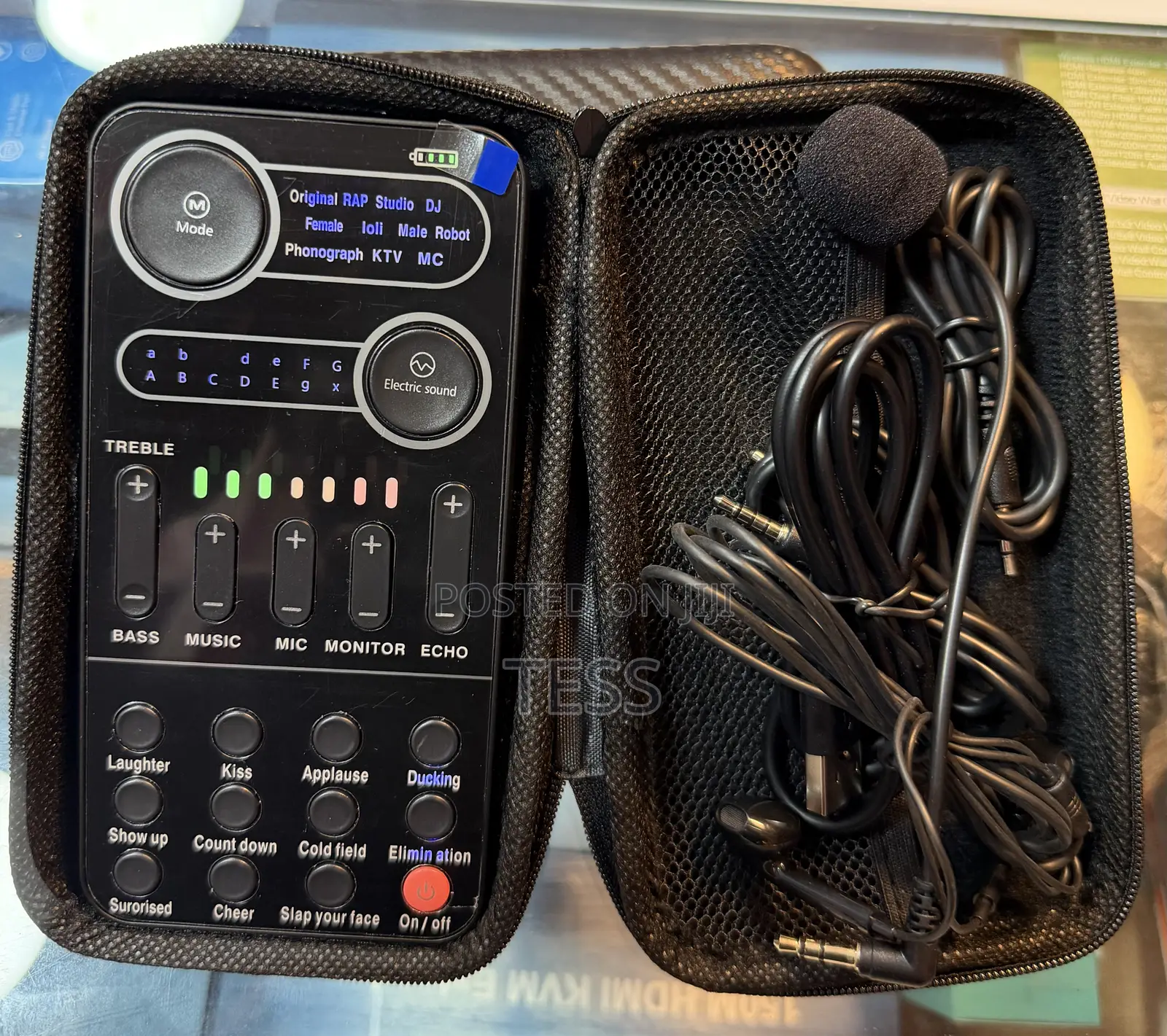
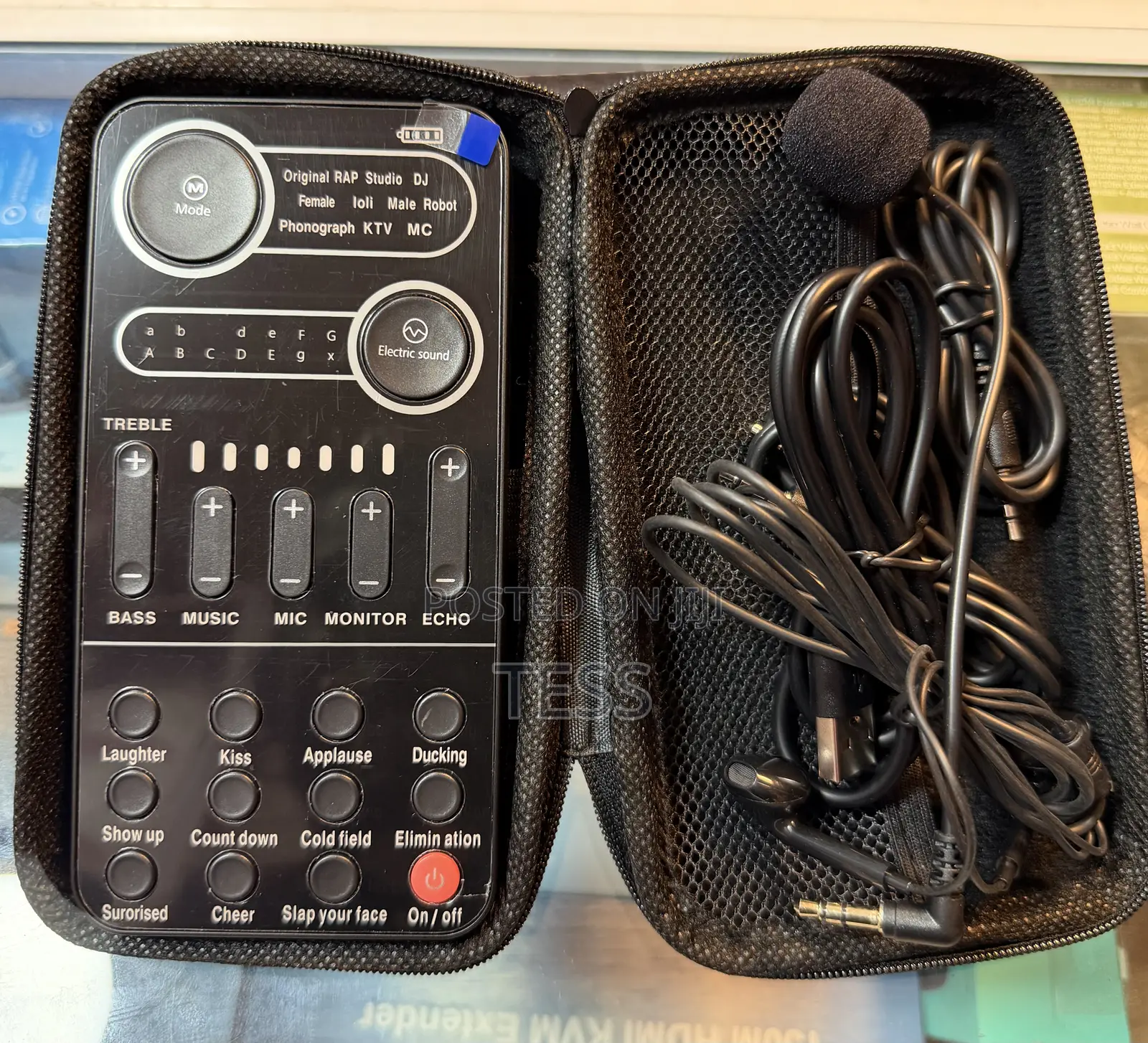
The sound card has 11 sound modes, Press the sound mode key to switch modes one by one...
2. The indicator light shows the sound in place.
3. There are 13 modes, and pressing the button switches them one by one.
4. The tone indicator shows the tone mode.
5. The treble is enhanced up and the bass is enhanced down.
6. Adjustment of background music input size.
1. Adjust the input size of the microphone.
8. Monitor the volume adjustment.
9. Reverberation intensity regulation.
10. When turned on, the music in the background will decrease as you speak.
11. When turned on, the voice of the background music will become smaller and can be used as an accompaniment.
12. Long press to power on, short press to turn on the computer accompaniment switch.
13. This area is full of atmosphere music. Short press will play the corresponding atmosphere music.
Safety tips
- Avoid paying in advance, even for delivery
- Meet with the seller at a safe public place
- Inspect the item and ensure it's exactly what you want
- Make sure that the packed item is the one you've inspected
- Only pay if you're satisfied





